

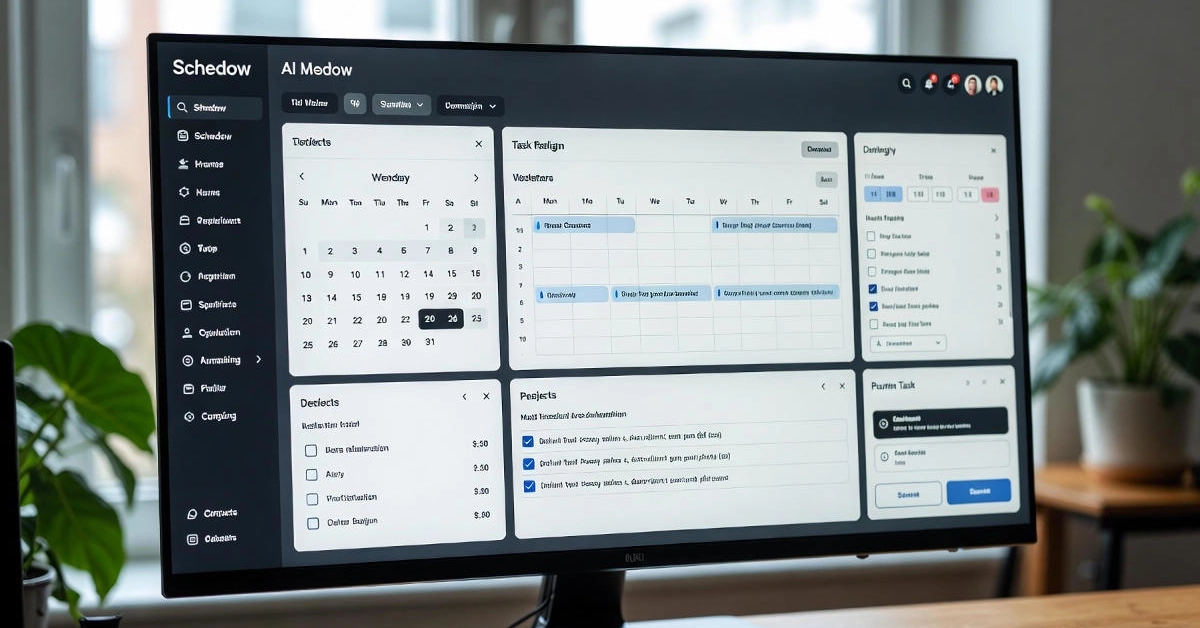
Ever stare at your calendar and wonder where the day went? Meetings popping up, tasks piling on, and suddenly it’s bedtime with half your list untouched. Yeah, I’ve been there. Remote work makes it worse—home and office bleed together until you’re fried. Enter Schedow, this clever AI scheduling buddy that sorts the mess so you can breathe again. In this review, I’ll chat through what it really does, the wins, the hiccups, and whether it’ll click for you in 2025.
Key Takeaways
- Schedow hands back up to 5 hours a week by handling the scheduling grunt work.
- Its AI picks up on your habits and sets up days that keep burnout at bay with timely nudges.
- Premium’s only $6 a month, way friendlier than stiff setups like Google Calendar.
- Folks finish tasks 40% faster, especially if you’re freelancing and spinning plates.
- Great for mixed in-office/remote crews, just keep an eye so the AI doesn’t run the show.
Imagine Monday hits and your email’s a warzone of invites while your to-do list glares back. Been my reality too many times. Schedow’s like that calm friend who steps in and organizes without fuss. It rolled out mid-2025 as an AI productivity sidekick, eyeing your routines to auto-handle calendars, bump priorities, and gently steer better habits. Forget digging for open slots or letting work eat dinner plans. If clunky tools are wearing you out, hang with me. We’ll unpack it all—from getting started to actual results—so you can see if it’s your fix.
What Is Schedow?
Schedow’s basically your AI scheduling pal for folks swamped like us. It pulls together stray notes, emails, and your calendar into one smart spot with automation that actually thinks ahead. Core trick? It watches your daily flow and picks prime times for stuff, whether deep focus or a quick coffee run.
What makes it stand out is the learning part. Regular calendars just sit there; Schedow adjusts on the fly. Hooks right into Google Workspace, Slack, Zoom—the usual suspects—so everything plays nice. Say you’re a remote marketer buried in deadlines; it might lock your mornings for big thinking, no intrusions.
This fits right into 2025’s vibe, with hybrid gigs everywhere—58% of us now—and tools needing to handle the juggle without adding stress. People trying it early say it’s low-key brilliant, especially as AI gets more about you, not just generic fixes.
Key Features of Schedow
Okay, let’s dig into what it actually offers. Schedow’s stuff feels straightforward, not a pile of confusing buttons. Kick off with the main bits, and you’ll get why solos and teams are hopping on.
Auto-Scheduling & Prioritization
Auto-scheduling’s the big draw. Toss in a task—”Wrap report by Friday”—and Schedow’s AI finds the sweet spot based on how you roll. No more blank-stare calendar fights.
Picture Alex, a freelance writer bouncing between calls and ideas. Mornings get guarded for creativity, lighter stuff slides to afternoons. It clears that “what now” haze, letting things just click into place.
Cross-Device Sync & Reminders
Everything stays in step—phone, computer, whatever. Tweak on your iPhone, boom, it’s everywhere. No awkward double-books when you’re out and about.
Reminders aren’t just alarms; they’re smart. Walking into a call? Pop up your notes. Time to wind down? Soft push to shut shop. Handles those 60 daily distractions, giving back bits of your day.
Collaboration Tools
For groups, shared setups are gold. Hand out tasks, spot clashes early, fix before drama—handy for teams split across cities. Timezone handling’s a lifesaver. Your 9 AM doesn’t blindside someone’s midnight. Everyone edits together, ditching the back-and-forth emails.
Five cool extras to play with as soon as you’re in:
- Voice adds: Talk about your tasks while out walking the pup.
- Smart reshuffles: Flight late? It rearranges without you lifting a finger.
- Habit spotting: Notices you crush it after lunch strolls, slots them in.
- Focus blocks: Locks out noise for solid 90-minute pushes.
- Weekly recaps: Quick look-back to celebrate and adjust.
These aren’t extras for show—they smooth the everyday bumps.
Benefits for Productivity
Schedow’s not another open tab; it amps what you get done without frying your brain. We all lose almost 5 hours weekly just herding meetings—that’s time it gives straight back. Think about using it for a walk or kid time instead. Sarah’s a project manager, hybrid life. Used to bleed into nights; now AI sets stop times, like killing notifications post-6 PM. She’s down 30% on stress, matching ideas that syncing tasks to your natural flow ups output 33% via chronoworking.
It fights burnout smartly. With 75% overwhelmed by tool soup, Schedow mixes them up. Watches patterns, slips in rests, shifts from panic to plan. Freelancers dig prioritizing by payoff and due dates; parents slot kid stuff without crashes.
Schedow vs Competitors
Picking apps is like choosing sides—each has its thing. Schedow stacks up solid against 2025’s big names, but let’s match them for your setup. Against Motion: Similar AI auto-magic, but Schedow’s $6 premium beats $12. Easier for one-person ops, quicker to learn your ways. Motion’s for huge teams with deep dives, but solo? Schedow feels tailored, less heavy.
Reclaim’s close on guards, but Schedow’s nudges adapt better to you. Reclaim buffers well, misses some CRM links like Salesforce, where Schedow connects smoothly. Reclaim $8 starts near, Schedow’s $12 team fits smaller bunches nicer. Calendly’s ace for shareable links, but no real scheduling brain. Schedow adds layers for full days. Free Calendly lures, but for daily flow, Schedow delivers more.
Fast rundown:
- Cost: Schedow free to $12/team; Motion $12 up; Reclaim $8+; Calendly free-$20.
- Sweet Spot: Schedow individuals/hybrids; Motion corps; Reclaim cushions; Calendly fast invites.
- AI Edge: Schedow habits/nudges; others narrower.
With 2025 leaning predictive and flexible, Schedow matches if you’re after personal over cookie-cutter. Free trial lets you feel it out.
How to Get Started with Schedow
Starting shouldn’t be a headache. Schedow makes it chill—here’s your easy path to a better week.
- Grab a Free Account: Hit the site, sign up. Basics don’t need payment, test drive easily.
- Hook Up Your Stuff: Link calendars (Google, Outlook), apps (Slack, mail). Grabs your current mess quickly, cleans duplicates.
- Lay Down Preferences: Share peaks, no-meet days. Feed a bit, it catches on.
- Test with Real Tasks: Add samples—”Gym 7 AM,” “Call Tuesday.” Watch it build your day.
- Check and Adjust: Day one wrap, glance summary. Fix misses, like travel buffers, and fine-tune.
A student swamped with papers used it to wall off study around classes, cutting dawdling by 20%. Dashboard visuals make changes fun, not work.
Tip: Begin solo for a week before team—eases the “huh?” phase into “can’t go back.”
Challenges & Solutions
Nothing’s flawless, Schedow included. Let’s hit the real snags and how to dodge them. Privacy worries with shared views—AI sees plenty. Fix: Tweak settings for what stays private, like hiding home stuff. Sticks to GDPR basics, but check your shares. Offline on mobile is iffy without a signal, rough for trips. Hack: Sync ahead, cached view covers basics like trains.
Trusting AI too much; one-off week skews it. Counter: Quick weekly looks—15 mins to steer back. Keeps your boss, ramps focus to 60%. Numbers show 51% days bogged in fluff, unchecked AI worsens. Blend with your gut, users get steady results, even high-pressure gigs.
Client: Challenges & Solutions
No tool’s perfect, and Schedow has its quirks. Let’s address them head-on so you sidestep pitfalls. Privacy tops concerns—shared calendars mean AI sees a lot. Solution: Dive into settings for granular controls, like anonymizing personal events. It complies with basics like GDPR, but always audit shares.
Offline access? Spotty on mobile without Wi-Fi, which stings for travelers. Workaround: Pre-sync your day and use cached views—enough for most commutes.
Overreliance is sneaky; AI misreads a wild week as norm. Fix: Weekly manual scans—15 minutes to realign. This keeps you in the driver’s seat, boosting focus gains to 60%. Stats back it: 51% of workdays drag with low-value tasks, and unchecked AI can amplify that. But with these habits, Schedow becomes an ally, not autopilot. Users who blend it with intuition report steadier wins, especially in high-stakes roles.
Future of Schedow in 2025
Peeking forward, Schedow’s set to grow as scheduling AI levels up. Late 2025 might bring voice tweaks—talk plans while driving, no typing. Eco tweaks could match low-energy windows, trimming digital waste for greener habits. Big teams get scaling to 100+ with forecasts spotting jams early.
Gartner’s call on 75% grabbing unapproved tools by 2027 fits—people want all-in-one like this over patchwork. Some teams already set “quiet blocks” across zones, sparking ideas in the noise. It’s evolving. As hybrid sticks, Schedow might flip days from grind to flow.
To sum it up, Schedow flips scheduling from drag to boost. Solo or leading a crew, its AI nudges days that suit you, not squeeze. Snag the free trial, map a week, feel the ease—calmer head, sharper edge. What’s the first thing you’ll hand off? You’ll wonder how you managed before.
FAQs
What is Schedow?
Schedow’s your AI scheduling buddy that handles calendars, tasks, and nudges to ease the daily rush. It figures your best times—like when you’re sharpest—and fits in work, rests, personal bits no sweat. Great for remote types or multi-taskers, links with Google Workspace, Slack easily. Beats plain calendars by shifting with you, saving that 5-hour meeting wrangle weekly. New folks say it’s like a pal who knows your groove.
How much does Schedow cost?
Free for starters like basic links and alerts—perfect to try. Premiums $6 each month per person for deep AI sorting and endless connects. Teams add group perks at $12 per, cheaper than Motion’s $12 solo. No surprises, tops Notion’s $10 with pure time focus. That 5 hours back weekly? Covers it quick. Site’s got deals sometimes.
Schedow vs Google Calendar?
Schedow amps Google’s free base with AI that sorts priorities and protects focus—stuff Google skips. Google shares fine, but Schedow spots issues, fixes ahead, trims setup 40% for pros on the go. Costs $6 premium, but hybrid folks love stress-proof alerts. Google for logs; Schedow if mess needs order.
Is Schedow good for teams?
Yep, hybrid teams dig shared views that tweak zones, flag clashes auto. Hand tasks, balance so no one’s sunk. $12 per person monthly beats Asana’s $10.99 with clever alerts cutting coord 5 hours a week. Remote marketers smooth passes; team parents guard off-hours. Get all in for the best mesh.
Does Schedow have a mobile app?
Sure, iOS and Android apps keep you linked anywhere—see changes, smart alerts, and voice tasks on walks. Offline’s partial, but pre-loaded days manage travel. All devices update instantly, top scattered tools. Freelancers tweak quickly in transit, turns waiting useful no fuss. Keep updated for 2025 voice bits.
Can Schedow prevent burnout?
Schedow battles burnout with cutoffs—like killing buzz post-hours—and break ideas from your flow, maybe 30% less strain. Catches overload, shifts easy tasks, fits trends lifting work 33% on matched days. Add your checks to steer AI. Parents, gig folks get evening grabs back, quiet help in pocket.
 nymblsoft9@gmail.com